
Deck to 1K
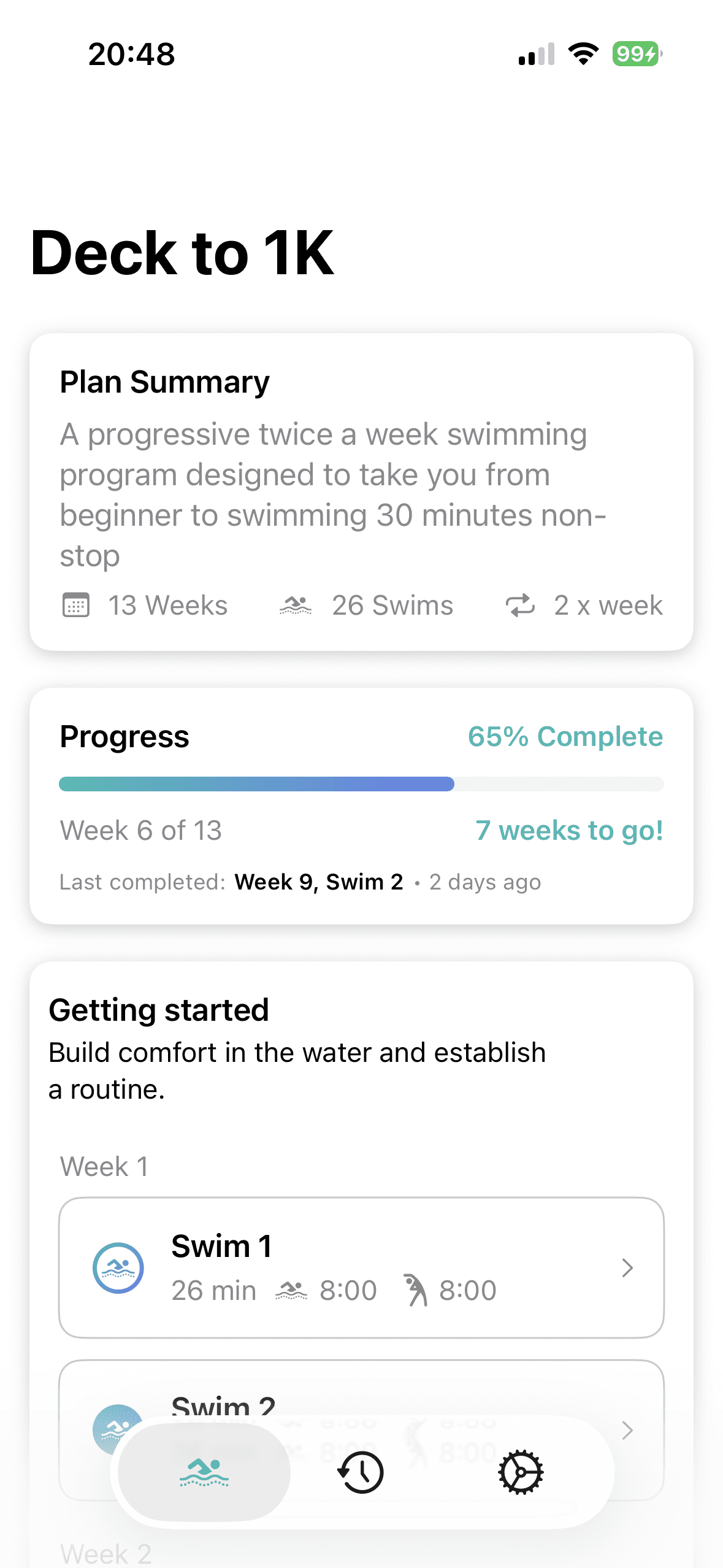
What Couch to 5K does for running, adapted for the pool. Intervals grow a little each week. Rest shrinks a little. Twelve weeks, two swims a week, and any week can be repeated.
Structured intervals tell you when to swim and when to rest, so the whole session is decided before you get in. Built for a first length, and for every length after it.
Start with Deck to 1K — Couch to 5K for the pool, from one comfortable length to 1,000 metres continuous over 12 weeks. More workouts coming soon.
If I can't do the whole session, it feels like a wasted trip.
I don't know how long to swim, or how long to rest.
Every swim plan online is written for someone faster than me.
I feel awkward stopping and starting.
What Couch to 5K does for running, adapted for the pool. Intervals grow a little each week. Rest shrinks a little. Twelve weeks, two swims a week, and any week can be repeated.
Haptics say when to swim and when to rest. No clock on the wall, no counting lengths in your head.
Distance, intervals and achievements, tracked swim by swim. Nothing to compare yourself against except the plan.
Start at a length you can already manage. No fitness test, no assessment swim.
Rest is part of the plan, not a sign the plan is going badly. Each interval has a recovery period built in.
Intervals lengthen, rest shortens, at a pace the body can absorb. Repeating a week is normal and costs nothing.
Haptics mark the start and end of every interval. Nothing to count, nothing to check.
Sessions sync to Apple Health and Fitness, and count toward Activity Rings.
Starts from the app or from the native Workouts app.
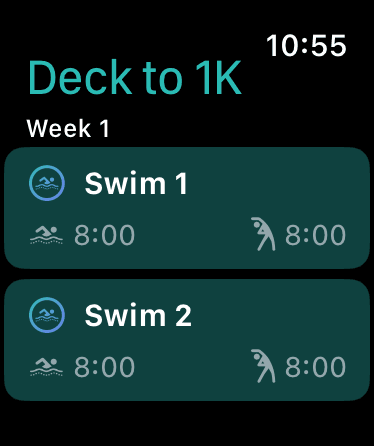
The plan works from the phone with a poolside clock. Series 2 or later is recommended for guided intervals.
Swimming 1,000 meters (1K) is roughly the swimming equivalent of running a 5K. It's challenging enough to feel like a real accomplishment, but achievable for anyone willing to put in the training.
In a standard 25-meter pool, 1,000 meters equals 40 lengths. For most beginner swimmers completing the Deck to 1K program, this takes between 25-40 minutes of continuous swimming. Once you can swim 1K continuously, you've built real swimming fitness and endurance.
Swimming offers unique benefits as a low-impact, full-body workout that burns calories, builds cardiovascular endurance, and strengthens muscles without stress on your joints. It's perfect for people of all fitness levels and ages.
First-lengthers. Comfortable with one length, unsure what to do with the other forty minutes.
Returners. Used to swim, stopped, and would rather not start by guessing.
Cross-trainers. Running or cycling already, adding something low-impact.
Streamline assumes you can already swim one length comfortably. It does not teach strokes and gives no form feedback. If one length isn't there yet, swim lessons are the right place to start — and Deck to 1K will be waiting afterwards.
For technique, a coach in the water will always beat an app. Streamline builds the endurance alongside that.
If you're tracking SWOLF scores, chasing pace, or trying to drop time, Streamline isn't built for that. Plenty of excellent apps are — this one is for getting to 1,000 metres, not racing there.
Deck to 1K is a 12-week program that adapts the Couch to 5K structure for the pool, with gradual distance increases and built-in rest intervals. By the end, you'll swim 1,000 meters (40 lengths) continuously, which takes most swimmers 25-40 minutes.
The program spans 12 weeks with two workouts per week. You can repeat any week if needed. There's no rush. Many swimmers repeat weeks before progressing, and that's completely normal and encouraged.
A 9-week version runs the same structure at three swims a week instead of two. The choice is made on first launch.
The 12-week program suits cross-training, a more gradual progression, or being unsure about the level of commitment. For faster progression, choose 3x a week. Both are great options and should deliver the same results.
Workouts range from 15-45 minutes depending on your week in the program. Early workouts are shorter with more rest intervals. As you progress, swim intervals lengthen and total workout time increases gradually.
Repeat any week, as often as needed. Finishing the program slowly is still finishing it.
You need to be able to swim at least one full pool length, access to a pool, and an iPhone. An Apple Watch is recommended but not required. Basic swim gear (swimsuit, goggles) is all the equipment you need.
Yes. This app is for fitness swimming and assumes basic swimming ability. If you cannot yet swim one pool length comfortably, swim lessons are the right place to start. Once you can swim one lap with confidence, you're ready for Deck to 1K.
Beginner fitness swimmers who can swim at least one pool length. You don't need to be fast, have perfect form, or own special equipment. If you can get from one end of the pool to the other, you can start this program.
Choose whatever stroke you're most comfortable with. For most people, that's front crawl (often called freestyle). You can mix strokes as you go. The program builds swimming endurance regardless of stroke.
No. Streamline tracks intervals, distance, and time, not stroke mechanics. Swim lessons or a coach are the right place for technique and form feedback. Deck to 1K builds endurance alongside that.
It is recommended but not required. The watch provides haptic feedback for interval cues, thereby eliminating clock-watching and mental math. Without a watch, you can follow workouts using the iPhone app alongside a poolside clock.
Haptic feedback tells you when to swim and rest, removing the mental overhead of tracking intervals yourself. This frees your mind to focus on breathing, form, or enjoying your swim.
Yes. All workouts sync automatically to Apple Health and Fitness. Your swims count toward Activity Rings, appear in your workout history, and contribute to fitness trends using Apple's native workout APIs.
Most swim apps are built for people already training. Streamline is built for the first thousand metres.
Deck to 1K is not suitable for people still learning to swim. Take swim lessons first. It's also not for those seeking stroke technique or form coaching, competitive swim training, or a replacement for a swim instructor. This program builds endurance, not technique.